 How-to
7 Steps to Coordinate Event Music Vendors Smoothly
Quick Summary
To coordinate event music vendors, assign one clear owner for each music role, build a timeline working backward from the start time, and hand off audio, stage and power needs in writing. Appoint a single point of contact, use a final-week checklist, and keep a written backup plan with named owners and triggers.
- Write each music role on one line with a name and phone number, and share it with every vendor.
- Confirm load-in windows, arrival times and power circuits with the venue in writing.
- Build a music-vendor input list that assigns every gear row to vendor, venue or client.
- Route all vendor questions and changes through one designated coordinator.
- Write a backup plan with a named owner and a trigger for each failure scenario.
Table of Contents
- Why Coordinating Music Vendors Takes More Than Booking a DJ
- Step 1: Define the Music Roles and Responsibilities
- Step 2: Build an Event Music Planning Timeline
- Step 3: Hand Off Audio, Stage and Power Requirements
- Step 4: Set Up Vendor Communication and a Single Point of Contact
- Step 5: Use an Event Vendor Coordination Checklist for the Final Week
- Step 6: Write an Event Music Backup Plan
- Booking Your Music Team With Agondray Entertainment
- Frequently Asked Questions
Why Coordinating Music Vendors Takes More Than Booking a DJ
Last Updated: October 26, 2026
Most event planners think booking a DJ is the hard part. It isn't.
Music rarely runs alone. It touches the venue's power, the caterer's timing, the speeches, and the first dance.
Here's the core problem: each vendor works from its own checklist. The DJ wants a clear stage. The venue wants load-in finished before doors. The caterer wants music quiet during service.
Think of it as a shared plan, not a stack of separate contracts.
Step 1: Define the Music Roles and Responsibilities
Start by naming who does what. Vague roles create most day-of confusion.
A simple role sheet should cover:
- Who runs the music timeline (usually the DJ or a planner)
- Who handles the photo booth setup and tear-down
- Who controls lighting and stage access
- Who speaks to the venue about power and load-in
- Who makes the final call on volume and cutoffs
Write each role on one line next to a name and phone number. Share it with every vendor in writing.
Settle any overlaps before the event, not at 6 p.m.
Step 2: Build an Event Music Planning Timeline
Your event music planning timeline is the backbone of everything else. Work backward from the start time.
Mark these anchor points first:
- Doors open
- Dinner service begins and ends
- Toasts and speeches
- First dance or key moments
- Last song and breakdown
Then add vendor time blocks: setup, sound check, and tear-down.
Schedule, Setup Times and Load-In Details
Confirm load-in windows with the venue in writing. Ask about:
- The earliest time vendors can enter
- Elevator or loading dock access
- Where power outlets are and how many circuits they share
- Whether a sound check is allowed during setup
Give each vendor a clear arrival time, not a general window. A DJ arriving at 3:00 p.m. for a 4:00 p.m. load-in may still be blocked by catering trucks.
Watch out: schedules shift during the planning process. Send one updated timeline to every vendor each time something changes, and ask each to confirm receipt.
The article lays out the key timing points, load-in details and changes to confirm with the venue, which are summarised below.
| Timing point | Action | Frequency or timing |
|---|---|---|
| Anchor points | Mark doors open, dinner, toasts, first dance, last song | First, before vendor blocks |
| Vendor time blocks | Schedule setup, sound check, tear-down | After anchor points |
| Load-in window | Confirm earliest entry in writing | Before the event |
| Arrival time | Give each vendor a specific time | Per vendor |
| Schedule changes | Send updated timeline and get confirmation | Each time something changes |
Step 3: Hand Off Audio, Stage and Power Requirements
Technical needs must move between vendors in writing, specific enough that a sound engineer, a bandleader, and a venue manager can read the same page and agree on who supplies what. To see the enhancement options a DJ can add to the setup, review DJ Facade.
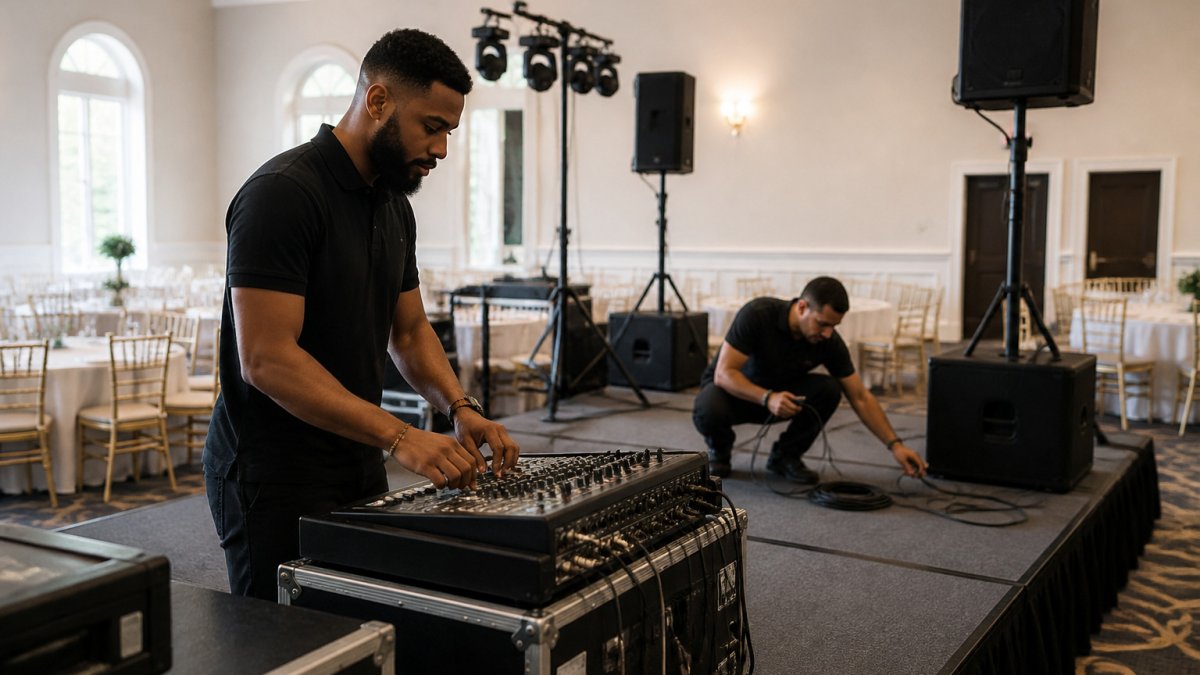
A written handoff packet can document who supplies what before load-in day.
Build a Music-Vendor Input List
An input list is the most useful document you can circulate. It tells every music vendor what gear is needed, who brings it, and where it plugs in. Build one row per item and assign an owner. A workable input list covers:
- Sound reinforcement: main speakers, subwoofers, monitors, and who supplies each
- Mixing console and outboard gear: digital board, DI boxes, cable kit, power strips
- Microphones: handheld vocal mics, lavaliers for officiants and speakers, podium mics, and spare batteries
- Backline: keyboards, drum kits, guitar and bass amps, and whether the band or the venue provides them
- Playback sources: laptop, phone, backup device, and the cable that connects each to the console
- Lighting: fixtures, stands, DMX controller, and whether lighting is tied to the music vendor or a separate tech
- Power: total amperage draw per vendor, outlet locations, and whether a dedicated circuit is required for audio
For each row, write one of three owner labels: Vendor supplies, Venue supplies, or Client supplies. If a row has no owner, it is a gap, resolve it in writing before the final-week checklist.
Draw a Stage Plot and Note the Changeover Plan
A stage plot is a simple top-down sketch of where each performer and piece of gear sits. It need not be to scale, but it must show:
- Where the DJ booth, band riser, and any photo booth footprint sit relative to the dance floor
- Where power drops are located and which cable paths cross walkways
- Where microphones stand for toasts, speeches, and the officiant
- Where lighting trees and speaker stands will not block sightlines
Pair the stage plot with a changeover plan. If a band plays a first set and a DJ closes the night, note the time window, who strikes which gear, and where the outgoing vendor's cases get staged so they are not left in a walkway.
Confirm Power, Load-In, and Sound-Check Rules With the Venue
Ask the venue these questions in writing and keep the answers with the handoff packet:
- How many circuits are available at the stage or DJ area, and what else shares them?
- Is a dedicated audio circuit available, or will the sound system share power with catering equipment?
- What is the earliest load-in time, and is there a charge for early access or overtime?
- Is a sound check permitted during setup, and are there volume limits during that window?
- Where is the loading dock or freight elevator, and are there cart or elevator restrictions?
Hand Off in Writing, Not Verbally
Send the input list, stage plot, and venue answers as one packet to every music vendor and the venue contact. Ask each to reply with a one-line confirmation and flag any row they dispute. A verbal site-visit walkthrough is useful, but it is not a handoff until it is written down and acknowledged.
Step 4: Set Up Vendor Communication and a Single Point of Contact
Pick one person as the single point of contact for all vendors, usually the planner, the couple, or the client's designated coordinator.
Set up these basics:
- A communication channel for day-of updates
- One shared document with the timeline, roles, and contacts
- A rule that changes go through the coordinator, not directly between vendors
- Each vendor's emergency number on the document
Decide who owns the shared document. If the DJ built the timeline, make sure the coordinator can edit it too, this prevents three different versions floating around.
Keep messages short and specific. "Load-in moved to 2:30 p.m." works better than a long paragraph buried in an email.
Step 5: Use an Event Vendor Coordination Checklist for the Final Week
The last week before the event is when small issues surface. Use an event vendor coordination checklist to catch them early.
Check these items:
- Confirm each vendor's arrival time in writing
- Verify the venue's load-in window and parking rules
- Reconfirm power outlets and extension cord needs
- Send the final timeline to every vendor
- Confirm song list and must-play or do-not-play requests
- Check that speeches and toasts have microphones assigned
- Review noise cutoff times with the venue
- [ ]
Call each vendor during this week.
Step 6: Write an Event Music Backup Plan
An event music backup plan can address what to do if a problem arises.
A backup plan can name an owner for each scenario. Find emergency backup plans for wedding DJs for practical contingencies you can adapt.
Cover the Music-Specific Failure Scenarios
Work through each scenario and write the answer, the owner, and the trigger that activates it:
- Primary playback device fails: Who has the backup laptop or phone, and is the playlist already loaded and tested on it?
- Microphone dies mid-speech: Who hands the replacement to the speaker, and what is the handoff signal?
- Power loss at the stage: Where is the nearest live circuit, and who knows the venue's breaker panel location?
- Band or DJ cancellation: Is there a substitute on standby?
- Late arrival or vehicle breakdown: Who starts background music if the primary vendor is delayed, and what is the cutoff time before the backup plan activates?
- Changeover overrun: If the band runs long and the DJ's set is compressed, who makes the call to cut songs, and which songs are marked as cut-first on the must-play list?
- Noise curfew or sound-limit trigger: If the venue's decibel limit or municipal curfew forces volume down or music off, who tells the music vendor, and what is the fallback (acoustic set, lower-volume playlist, earlier last dance)?
Assign a Backup Owner and a Trigger for Each Scenario
A backup plan without triggers is just a list of worries. For each scenario, write the owner's name and phone number, the trigger that activates the backup, and the first action the owner takes. For example: "If the primary DJ has not arrived by 3:00 p.m., the coordinator calls the backup DJ, and the venue plays house music until the backup arrives."
Ask vendors directly what they bring as backup. Ask vendors what backup arrangements they can describe before you sign.
Coordinate the Backup Plan With the Venue and the Music Vendors
Share the backup plan with the venue contact and every music vendor, not just the coordinator. The venue needs to know who to expect if a substitute arrives, and the music vendors need to know what triggers a changeover or volume reduction. Keep it in the same shared document as the timeline and roles so only one version circulates.
Booking Your Music Team With Agondray Entertainment
Agondray Entertainment LLC provides mobile DJ and photo booth services in Central Florida.
You can review our DJ event packages to compare options, and check current Central Florida DJ pricing before you book.
Let's get started. Reach out to Agondray Entertainment LLC and let's plan a night your guests will remember.
Frequently Asked Questions
How do you coordinate music vendors for an event?
Start by naming one person who owns the music plan, then get every vendor's contract, arrival time, setup needs and contact details into a single shared document. Confirm the run of show with the DJ, band and venue at least two weeks before the event, and schedule a short call between vendors so the DJ and any live performers know who controls the sound system and when. Share the final schedule with everyone the week of the event, and have one contact person on site who can make decisions when the schedule changes.
When should you contact event music vendors?
Contact event music vendors to discuss arrival times, power needs and the event schedule.
What should an event music vendor timeline include?
A useful timeline lists the date and time each vendor arrives, when load-in starts, when the sound check and any technical rehearsal happen, the start and end of each program segment, and when load-out begins. Attach the timeline to your vendor communication so everyone works from the same version.
What should you include in a backup plan for event music?
Cover equipment failure, a late or absent vendor, and a power outage. Confirm who on site can make the call to pause or change the program if something breaks.