 how-to
Emergency Backup Plans for Wedding DJs
Table of Contents
- Why Wedding DJs Need Emergency Backup Plans
- What if Your Wedding DJ Gets Sick or Cannot Attend
- Wedding DJ Equipment Backup and Redundancy
- Creating Your Wedding DJ Power Outage Plan
- Wedding DJ Contingency Checklist for Every Scenario
- Questions to Ask Your DJ About Emergency Preparedness
- Frequently Asked Questions
Last Updated: October 14, 2026
Why Wedding DJs Need Emergency Backup Plans
A wedding's music sets the mood, so when your DJ fails, the whole event suffers, that's why emergency backup plans for wedding DJs matter.
At Agondray Entertainment LLC, we know equipment fails, people get sick, and weather turns bad. A professional DJ prepares for all of it.
If your DJ never shows up, the ceremony starts in 30 minutes with no music. With the right plan, you stay calm and your event runs smoothly. Here's what separates DJs who handle emergencies from those who don't:
- They have a backup DJ on call
- They carry extra equipment
- They test their power setup in advance
A solid emergency backup plan for wedding DJs protects you and your guests.
What if Your Wedding DJ Gets Sick or Cannot Attend
Your DJ wakes up with the flu three hours before your ceremony, but a prepared DJ has already solved this. The best work with a backup team: another trained DJ who knows the equipment, understands the timeline, and can read a room, not just a friend with a speaker.
Here's what should happen:
- The primary DJ calls their backup immediately
- The backup DJ picks up the equipment or has it already staged
- The backup DJ reviews the playlist and timeline
Ask your DJ directly: "What's your backup plan if you can't make it?" Hesitation or a vague answer is a red flag. A professional names their backup, explains the handoff, and confirms the backup knows the equipment.
At Agondray Entertainment LLC, we are dedicated to personalized attention for every event detail.
Wedding DJ Equipment Backup and Redundancy
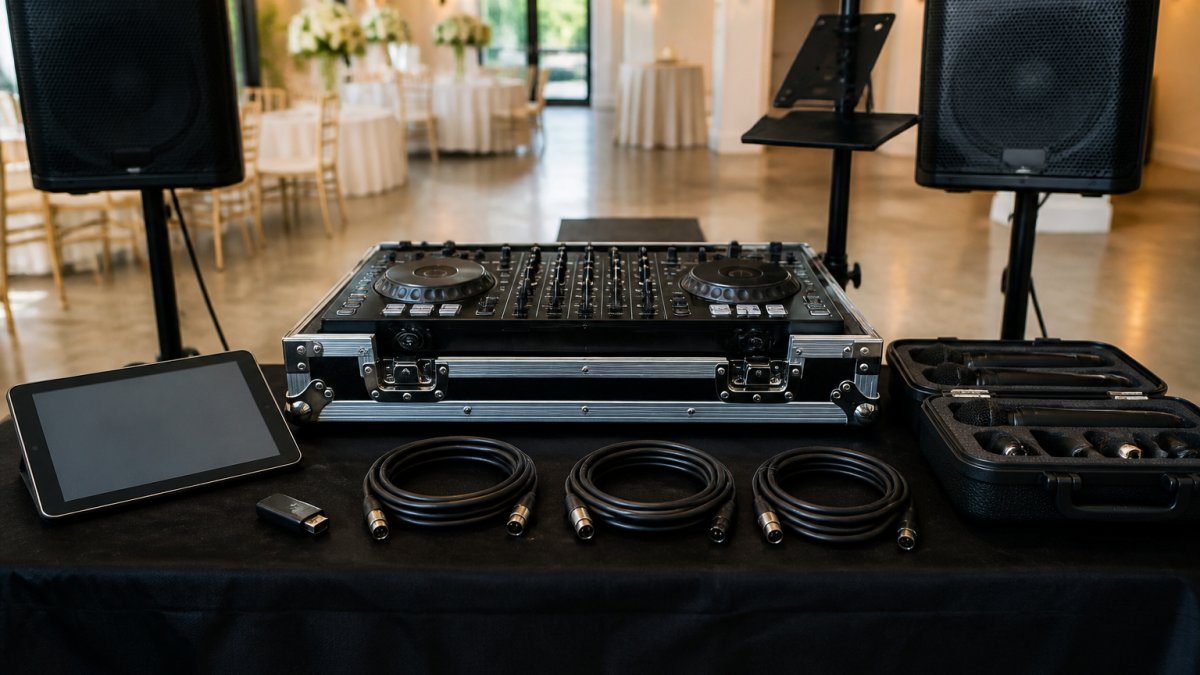
Equipment fails: speakers blow out, cables fray, tablets freeze. The difference between a stressful moment and a smooth save is backup gear plus a sequence for using it, redundancy, standard in professional entertainment.
The Prioritized Swap Sequence
When something fails mid-event, a prepared DJ follows a fixed order: diagnose fast, swap to the backup, keep the music going, then troubleshoot. Here is a practical sequence for the most common failures:
- Silence or drop-out on the main system. Check the cable at the speaker first, then the cable at the mixer or controller. Cables fail more often than speakers. If the cable is fine, swap to the backup speaker.
- Microphone failure during toasts. Swap to the backup wireless mic or a wired mic. Do not troubleshoot batteries in front of the room. Swap first, fix later.
- Laptop or tablet freeze. Switch playback to the backup device. If the backup device is already loaded and connected, this takes seconds. If it is not, the DJ should have a USB drive with the current playlist ready to plug into a backup player.
- Controller failure. If the controller dies but the laptop is fine, the DJ can often keep music playing from the laptop's software using keyboard shortcuts or a backup controller. If the laptop is also down, the USB drive and a standalone player are the last line.
- Total power loss at the DJ position. Switch to battery-powered gear and follow the outage plan.
The key: the DJ never stops the music to fix a problem, playback continues on the backup while the failed item is dealt with.
Offline Music Access and Duplicate Storage
A DJ who streams or relies on a cloud library is one dropped Wi-Fi connection from silence, venue Wi-Fi is often weak or saturated by guests' phones. The reliable approach is offline-first:
- Local files on the primary device. The full playlist and the DJ's working library should live on the laptop or tablet, not in the cloud.
- A duplicate on a USB drive. A second copy of the playlist and key tracks on a USB drive that stays with the DJ. This is the fastest path to recovery if the primary device dies.
- A second device with the same library. A backup laptop or tablet with the library already synced or copied. Do not rely on downloading it at the venue.
A common pattern is to keep the ceremony and first-dance tracks on a separate, clearly labeled USB drive so the most important moments are never more than one swap away.
Backup Speakers and Microphones
If your main speaker cuts out mid-ceremony, a backup speaker solves it instantly: the DJ swaps it in and the ceremony continues. The same applies to microphones. Professional DJs carry:
- A second speaker of equal quality
- A backup wireless microphone system
- Extra batteries for wireless mics
Ask your DJ: "What backup speakers and mics do you carry?"
Backup Controllers and Playback Devices
Most modern DJs use a laptop and a controller. If the laptop fails, the controller is useless, unless the DJ has a backup laptop or tablet ready to plug in. Some use USB drives as their primary backup; others keep a second laptop with the same library loaded. Your DJ should never rely on a single device. Ask: "What happens if your laptop dies?" A prepared DJ explains their backup system before you hire them.
Creating Your Wedding DJ Power Outage Plan
A thunderstorm rolls in and the power cuts out. Rare but possible, and the difference between a 30-second hiccup and a dead reception is whether the DJ planned the venue's power in advance. Most DJs treat power as a day-of problem; the prepared ones do a venue walkthrough weeks in advance.
The Venue Walkthrough Checklist
Before the wedding, walk the venue with the DJ and the venue coordinator. Confirm these items in writing:
- Outlet locations and count. Identify every outlet the DJ can reach without running a cable across a walkway. Mark them on a simple floor sketch.
- Circuit map. Ask the venue which outlets share a breaker. A DJ who plugs the main system and the lighting into the same 15-amp circuit will trip it the moment the bass hits. Most venues can provide a panel map or point out the labeled breakers.
- Dedicated circuits. Ask whether the DJ position can get a dedicated 20-amp circuit. This is the single most reliable way to avoid a mid-reception trip.
Battery Runtime and What It Actually Covers
Battery-powered speakers are the most common DJ backup, and runtime is the number that matters. Most portable 8-inch to 12-inch battery speakers run roughly 6 to 12 hours at moderate volume, less at high volume, a ceremony-only speaker may last all day, while a full reception with heavy bass may drain in a few hours.
A realistic battery layer looks like this:
- One battery-powered speaker for ceremony and cocktail hour
- A second battery-powered speaker as a swap-in for the reception if the main system loses power
- A battery-powered microphone or a wired mic that does not depend on the main system
- A charged power bank for the laptop or tablet, sized to the device's draw
Battery gear doesn't replace a full sound system, it buys time, keeping the ceremony, toasts, and first dance audible while power is restored.
Generator Power and Equipment Compatibility
If the DJ runs on a generator, confirm it produces clean power, sensitive gear like controllers, laptops, and wireless mic receivers can misbehave on unstable voltage. A common pattern: run the sound system on the generator and keep the laptop and wireless receivers on battery or a small UPS, which gives a few minutes of clean power during a generator switch.
Who Does What During an Outage
The plan only works if roles are clear. Before the wedding, agree on who calls the venue coordinator, who checks the breaker panel, who decides whether to switch to battery gear or wait for the venue, and how the DJ will announce the situation to guests, if at all. A short, calm announcement, or none while the backup kicks in, beats running commentary.
A power outage plan is not a generator and a battery. It is a venue walkthrough, a circuit map, a runtime estimate, and clear roles. Do the walkthrough before the wedding, and the outage becomes a 30-second pause instead of a lost reception.
Wedding DJ Contingency Checklist for Every Scenario
Use this checklist to evaluate your DJ's emergency backup plans for wedding DJs. A good DJ can answer yes to most of these:
| Scenario | What to Ask | What You Want to Hear |
|---|---|---|
| DJ gets sick | "What's your backup plan?" | "I have a trained backup DJ ready to step in" |
| Equipment fails | "What backup gear do you carry?" | "I carry duplicate speakers, mics, and controllers" |
| Power goes out | "How do you handle power loss?" | "I have battery backup and work with venues on generators" |
| Laptop crashes | "What if your main device fails?" | "I have a backup laptop/tablet and USB drives" |
| Cables fail | "Do you carry extra cables?" | "Yes, I carry extras for every connection type" |
| Microphone dies | "What if the mic stops working?" | "I have a backup wireless mic system" |
| Timeline changes | "How do you handle last-minute changes?" | "I'm flexible and adjust on the fly with backup plans" |
A professional DJ has thought through these scenarios and has answers and gear. Bring this checklist when you interview DJs.
Questions to Ask Your DJ About Emergency Preparedness
Before you sign a contract, ask these questions to gauge how serious your DJ is about reliability.
On backup coverage:
- Do you have a backup DJ? Can I meet them or see their experience?
- How quickly can your backup step in if you can't make it?
- Will your backup know my playlist and timeline?
On equipment:
- What backup equipment do you carry to every event?
- How often do you test your backup gear?
- What happens if your main speaker fails mid-event?
On power and connectivity:
- How do you handle power outages?
- Do you have battery backup for your equipment?
- How do you work with the venue on power setup?
On communication:
- How will you keep me updated if an emergency happens?
- What's your process for handling timeline changes?
- Can I contact you or your backup team on the wedding day?
On guarantees:
- Do you guarantee music throughout the event?
- What's your policy if something goes wrong?
- Is there a backup plan written into the contract?
A DJ who answers clearly and confidently is worth hiring; one who hesitates or gives vague answers is not.
Your wedding day deserves a DJ who's ready for anything.
At Agondray Entertainment LLC, we provide professional entertainment that fosters connection and joy. Ready to book a DJ you can trust?
Frequently Asked Questions
What should a wedding DJ's emergency backup plan include?
A comprehensive emergency backup plan covers personnel (a trained backup DJ), equipment redundancy (spare speakers, microphones, controllers, and cables), power solutions (battery-powered equipment and backup power sources), music access (offline playlists and multiple devices), and communication protocols (clear vendor coordination and couple notifications). The plan should address weather contingencies, equipment failure, and unexpected delays, with written confirmation in your contract about how each scenario will be handled.
What happens if a wedding DJ gets sick on the wedding day?
Professional DJs with strong emergency backup plans have a trained replacement DJ ready to step in. Communication between your DJ team and your coordinator ensures the couple is informed immediately if a substitution becomes necessary.
How can a wedding DJ prepare for a power outage or severe weather?
DJs prepare for power disruptions by carrying battery-powered speakers, backup power banks for controllers and tablets, and extension cords with surge protectors to connect to alternative power sources. For severe weather, they assess venue-specific risks during setup planning, secure outdoor equipment to prevent wind damage, and have contingency routes for relocating gear. Discussing weather and power scenarios with your venue during planning helps identify backup power outlets and sheltered setup areas before your wedding day.
Does a wedding DJ bring backup equipment?
Yes, professional wedding DJs bring redundant equipment as standard practice. This includes backup speakers and microphones, extra controllers or playback devices, additional cables, and power solutions. Equipment redundancy ensures that if a primary component fails during your ceremony or reception, the DJ can switch to backup gear without interrupting the music or audio.